The Best Squarespace Templates for Designers Who Want to Stand Out, Work Faster, and Earn More
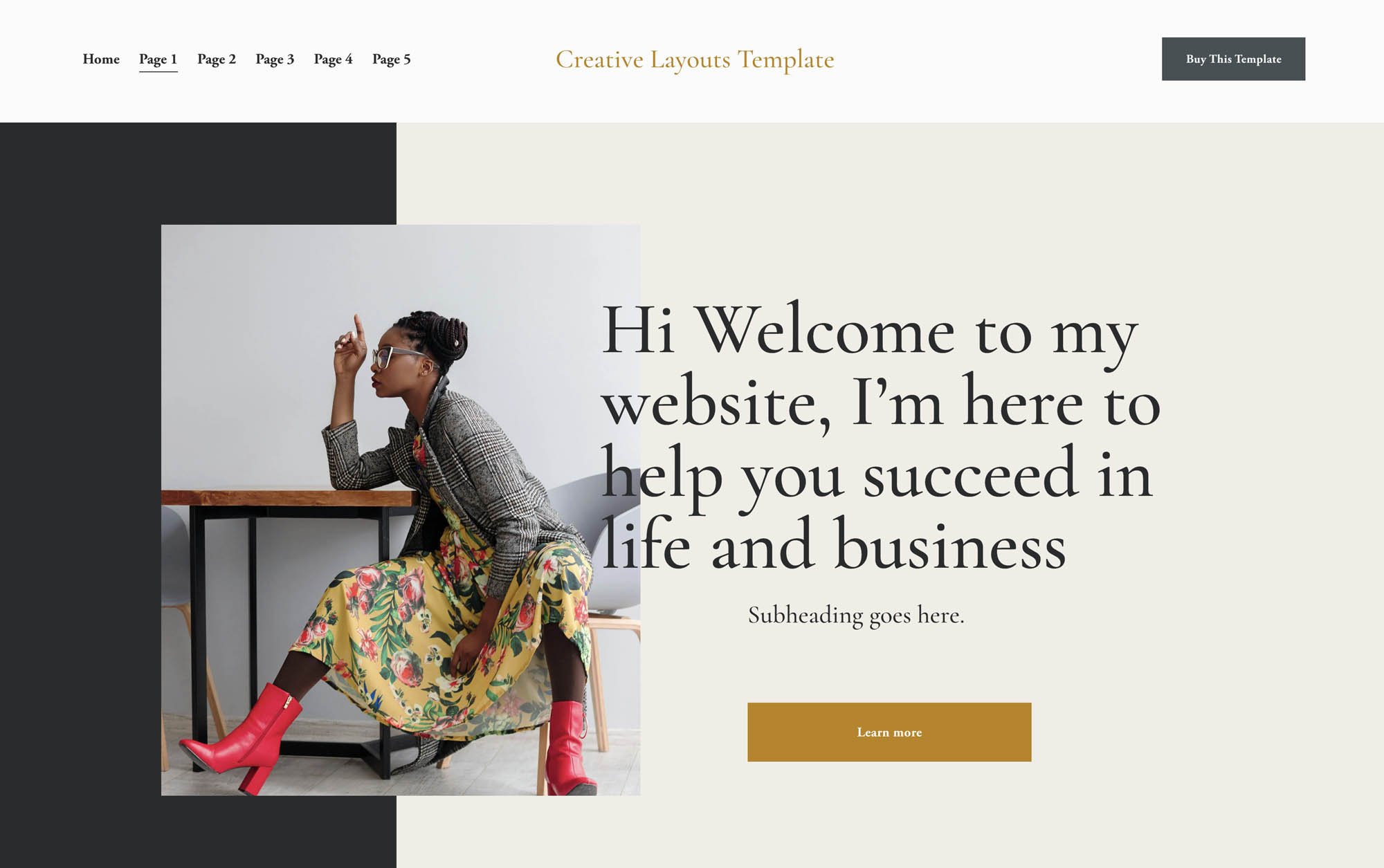
The fastest way for Squarespace designers to get 5-star reviews and grow their income is to start every project with a creative, professionally designed template built specifically for client work — one that looks nothing like a typical out-of-the-box Squarespace site.
If you're a Squarespace designer juggling multiple clients, you already know the bottleneck: every new project feels like starting from zero. You're rebuilding the same sections, hunting for fonts that actually work together, and spending hours on layout decisions that eat into your profit margin. Worse, too many designers are handing clients websites that look like everyone else's — because they're all pulling from the same pool of generic templates.
The right template strategy changes all of that.
Why Generic Squarespace Templates Are Holding You Back
Squarespace's built-in templates are designed for the average DIY site owner — not for professional designers who need to deliver standout results for paying clients. Here's the problem with relying on them:
They look like everyone else's site. Clients and their customers can spot a default Squarespace template immediately. It signals "DIY," not "professionally designed."
They require too much customization. Most platform templates are so minimal that you end up building from scratch anyway — without the time savings.
They don't catch attention. In a world where websites are skimmed in seconds, a forgettable layout is a missed opportunity for your client's business.
What you need isn't just a template — you need a creative system that makes your work look distinctive every single time.
What Makes a Squarespace Template Worth Using for Client Projects?
Not all third-party Squarespace templates are created equal. When evaluating one for professional use, here's what separates a genuine time-saver from a frustrating dead end:
1. It Looks Nothing Like a Default Squarespace Site
The whole point of using a premium template is to make your work stand out. If a client (or their competitor) could have built it themselves in an afternoon, it's not adding value to your service.
2. It's Built for Mix-and-Match Flexibility
The most powerful templates for designers aren't rigid page layouts — they're modular section libraries. When you can pull from a range of creative, pre-built sections and combine them in any order, every client site feels custom-built, because it essentially is.
3. It Has Strong Typography and Color Systems
The best templates use a defined type scale and a palette that's easy to swap. This saves you from one of the biggest silent time-drains: making fonts and colors feel intentional across every page.
4. It Comes with the Right License for Client Work
If you're building sites for multiple clients, you need a license that covers commercial use across projects. Always check the terms before purchasing.
5. It's Been Built by Someone Who Understands Design — Not Just Squarespace
There's a difference between a template that's technically functional and one that's been designed with real visual craft. Look for templates made by designers with a strong aesthetic point of view.
The Template Built for Squarespace Designers Who Want to Stand Out
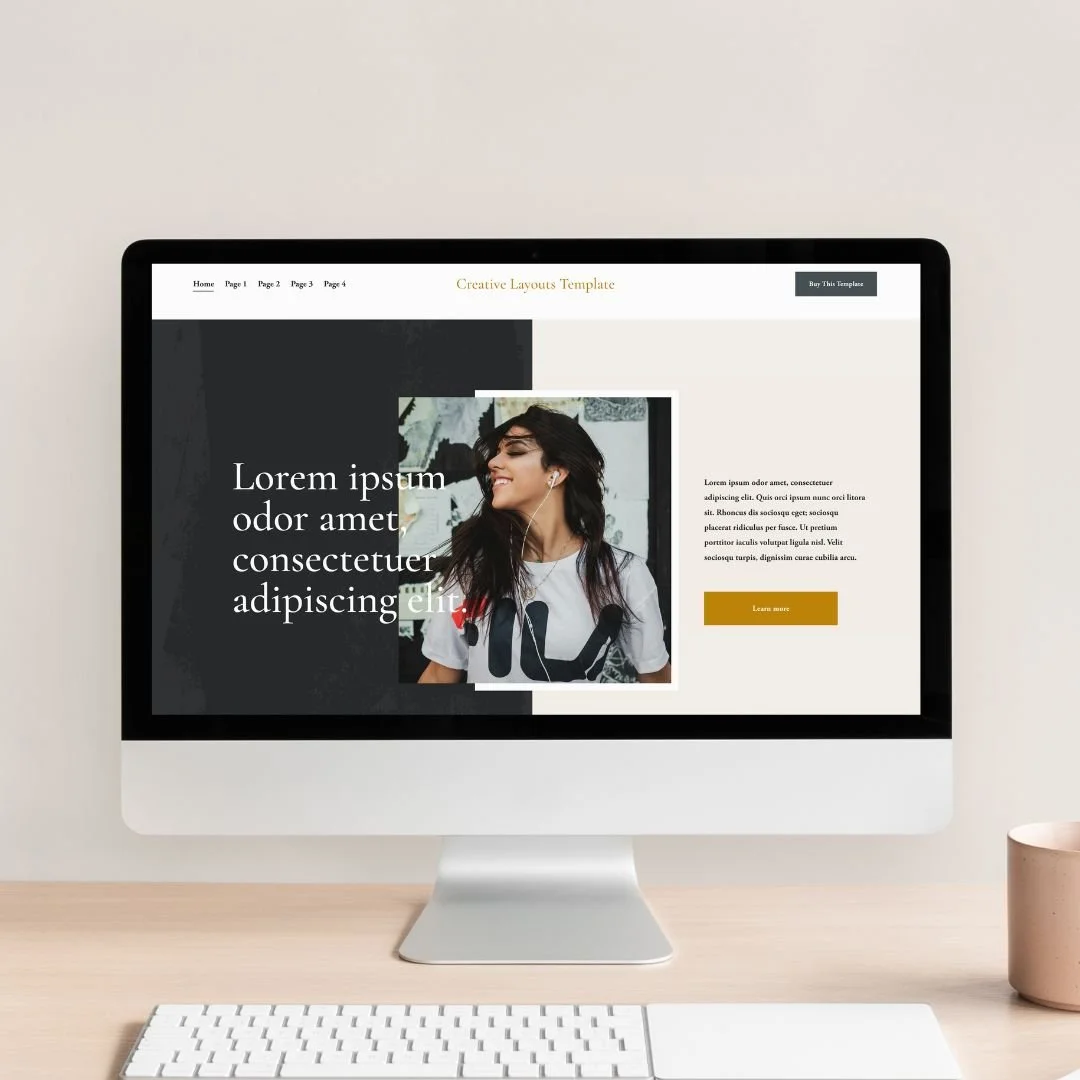
If you're looking for one resource that checks every box above, my 55 Creative Sections Squarespace Template was made exactly for this.
What It Is
The 55 Creative Sections template is not a single page layout — it's a library of 55 bold, creative, professionally designed sections you can mix and match to build any page, for any client. Think of it as your personal design toolkit inside Squarespace.
Why It's Different
This isn't your typical Squarespace look. These sections are visually distinctive — the kind of layouts that make visitors stop scrolling, that make clients say "wow," and that make your portfolio look like the work of a designer who has a serious eye. No cookie-cutter grids. No bland hero banners. Just creative, eye-catching layouts that look high-end without requiring you to start from scratch.
Who It's Built For
The 55 Creative Sections template is ideal for:
Squarespace web designers who want a versatile creative foundation for client projects
Creatives — photographers, brand designers, artists, studios — who want a site that reflects their aesthetic without the build time
Anyone who wants to mix and match sections to create something that feels completely unique
The License That Makes Business Sense
One purchase gives you the right to use the template across as many client projects as you want. You're not paying per project or per client — you buy it once and it becomes part of your permanent workflow. (Note: the template cannot be resold.)
That's not just a good deal — it's a business model. The more clients you take on, the more value you extract from a single purchase.
Other Places to Find Creative Squarespace Templates for Client Work
If you want to build out a broader template library, here are the best third-party sources for premium, creative Squarespace templates:
Creative Market
One of the third-party sources for polished Squarespace templates. Search for "Squarespace 7.1 template" to ensure you're getting layouts built on the current fluid engine. Filter by style — there's a wide range from editorial to minimal to bold.
Etsy
A surprisingly strong source for boutique, designer-made Squarespace templates. Independent designers sell niche builds here — often at lower prices than larger marketplaces — and many include installation guides and direct support from the creator.
Independent Squarespace Template Designers
Some designers specialize exclusively in Squarespace and sell directly from their own websites. Searching "Squarespace designer template shop" will surface current creators with strong aesthetics. Buying directly from a designer also means better support and more unique designs that haven't been downloaded thousands of times.
How the Right Template Gets You 5-Star Reviews
Here's what clients actually care about: a website that looks like it was made for them, delivered on time, and built to grow with their business.
A strong creative template helps you nail all three:
It looks custom — swap in brand colors, real photography, and client copy, and a great template reads as completely bespoke.
It delivers faster — you're not making structural decisions from scratch on every project.
It catches attention — a visually distinctive layout makes clients feel proud to share their site, and proud clients leave glowing reviews.
When a client opens their finished website and sees something that looks genuinely impressive — not like every other Squarespace site they've ever seen — that's a 5-star review before you've even ended the call.
The Business Math: How Templates Help You Make More Money
Let's be straightforward about the financial case.
If you charge $3,000 per Squarespace website and it takes you 50 hours to build, you're earning roughly $60/hour. Not bad — but not scalable.
Now imagine a well-chosen creative template cuts your build time to 15 hours. Same deliverable. Same (or better) result. That's $86/hour — or the ability to take on a second client in the same window.
Now, you can take on more clients because you have more time.
Templates aren't a shortcut. They're leverage.
How to Build a Squarespace Template System That Works for Your Business
Once you've found templates you love, don't just use them once — turn them into a repeatable system.
Document your go-to sections. If you're working with a modular template like the 55 Creative Sections, note which sections work best for which sections of the website — header, about, featured blog posts, etc.
Create a client content intake process. The best template in the world is only as good as the process you're building it with. If you need help with the entire client process, check out my 5-Day Build
Build a library of favorite fonts and color palettes. Choosing fonts and colors can take hours, keep a library of your favorite color palettes for certain moods and font library. Check out my free Color Palette by mood.
Grow your portfolio. Consistent, high-quality template work makes your portfolio look cohesive and intentional — which attracts higher-paying clients who value professionalism.
Final Thought: Stand Out or Blend In — Your Template Choice Decides
Every Squarespace designer is working with the same platform. The ones who build reputations, get referrals, and charge premium rates are the ones whose work doesn't look like the platform it was built on.
Your template is the foundation of that difference. Start with something creative, something bold, something that makes clients feel like they got more than they paid for — and the five-star reviews, the referrals, and the income growth follow naturally.
The 55 Creative Sections template at Sharon Marta is one of the best tools available for Squarespace designers who want exactly that.
This post contains a recommendation for a template created by the author of this site. All opinions are based on genuine experience with the product.